Create and edit patient records manually
Patient records can be created and edited directly within a cohort in the Federated Learning Net Client. Manual entry uses the cohort's selected schema to structure patient data and does not require a connector.
Before adding records, create a cohort based on an available schema.
Open the patient list
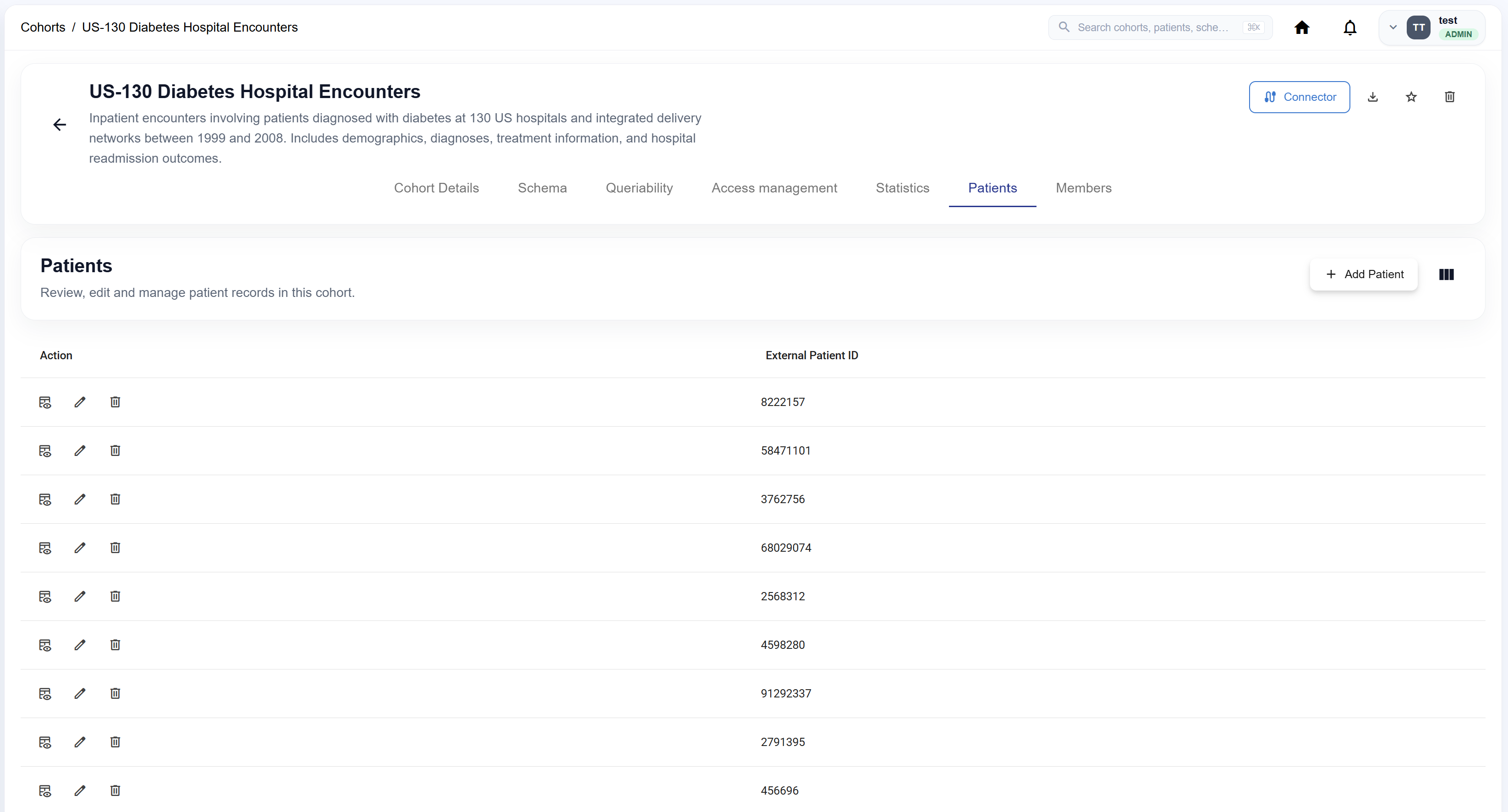
Open Cohort, select the relevant cohort, and open the Patients tab. The table displays the cohort's current records by External Patient ID. Use the actions in each row to view, edit, or delete a record, or select Add Patient to create one.
How the schema determines the form
The creation and editing forms are generated from the cohort's selected schema. The schema defines the available fields and their organization, which fields are required, and the validation rules applied to entered values. Cohorts using different schemas therefore present different forms and require different information.
Complete the fields according to the selected schema's definitions, including expected data types, units, and allowed values where applicable. The same schema requirements apply when creating a record and when editing an existing one.
For details on data types and validation rules, see Data validation and normalization.
Create a patient record
- Select Add Patient in the Patients tab.
- Enter the External Patient ID.
- Expand the relevant form sections and enter the patient data, completing the fields required by the cohort's schema.
- Review the values, address any validation errors, and select Save. Select Cancel to leave without creating the record.
- Open the saved record from the patient list to verify its identifier and clinical data.
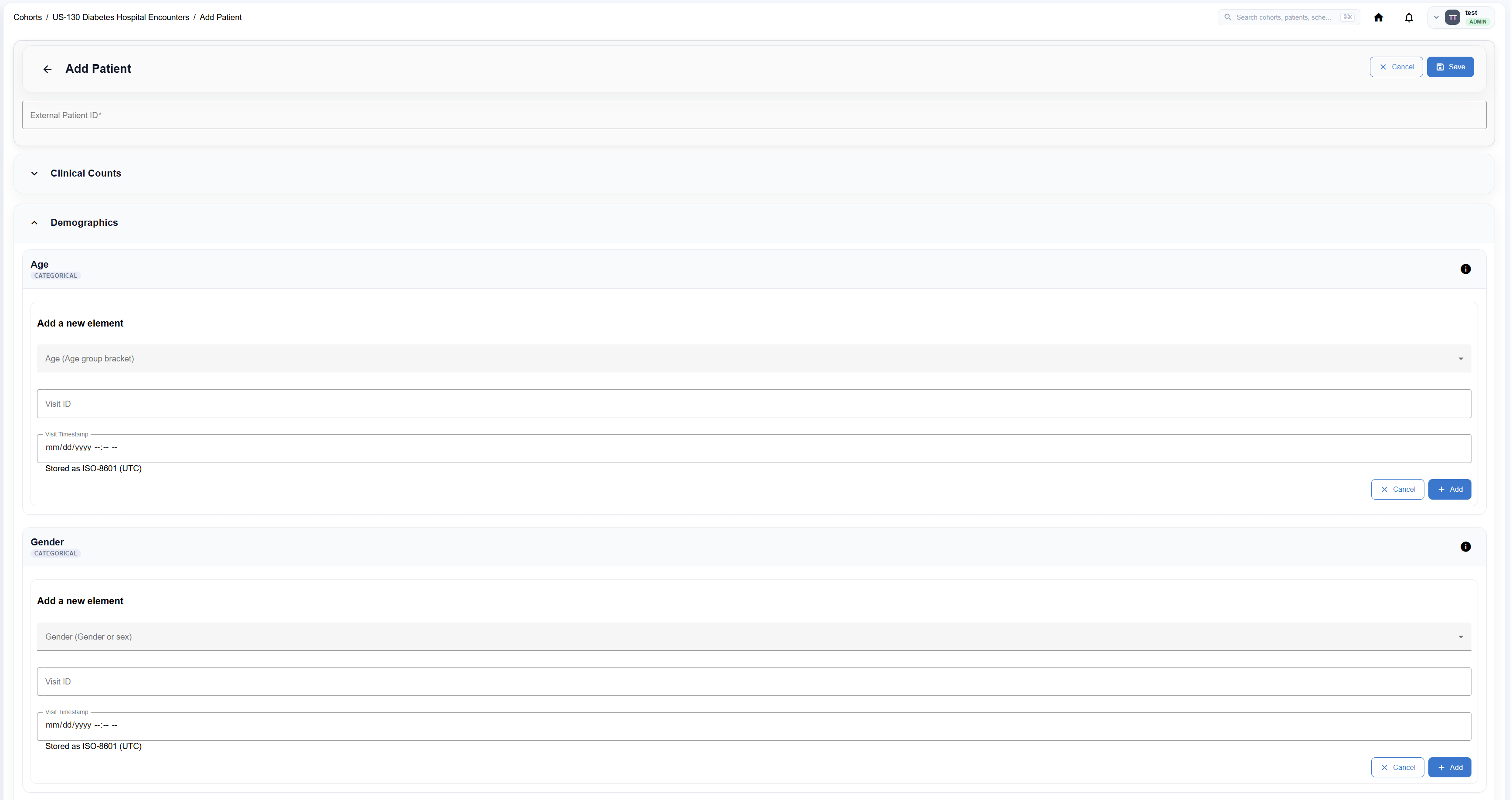
This example uses the US-130 schema. Its expandable sections organize the data into groups such as demographics, diagnoses, and lab results. The sections and fields shown for another cohort depend on its selected schema.
Edit a patient record
- Locate the record in the cohort's Patients tab using its external patient identifier.
- Select the pencil icon in the record's action column to open it for editing.
- Update the relevant values in the form, complete any required fields, and address validation errors according to the cohort's schema before saving the changes.
- Open the record again to verify that the intended changes are reflected in the patient data.
Import patient data through a connector
Manual entry is useful for individual records and targeted corrections, but becomes time-consuming for larger datasets. For bulk data entry or recurring updates, use a connector to import records through a reusable configuration.