Trainings
The Trainings page lists the federated learning trainings your Client participates in, that is, trainings accepted through training requests.
The Trainings page is for review only. It does not provide controls to change a training. To decide whether your Client takes part in a training, use training requests.
Open a training
- Open Governance → Trainings. The page lists all trainings your Client participates in.
- Select a training in the list. Its project overview opens.
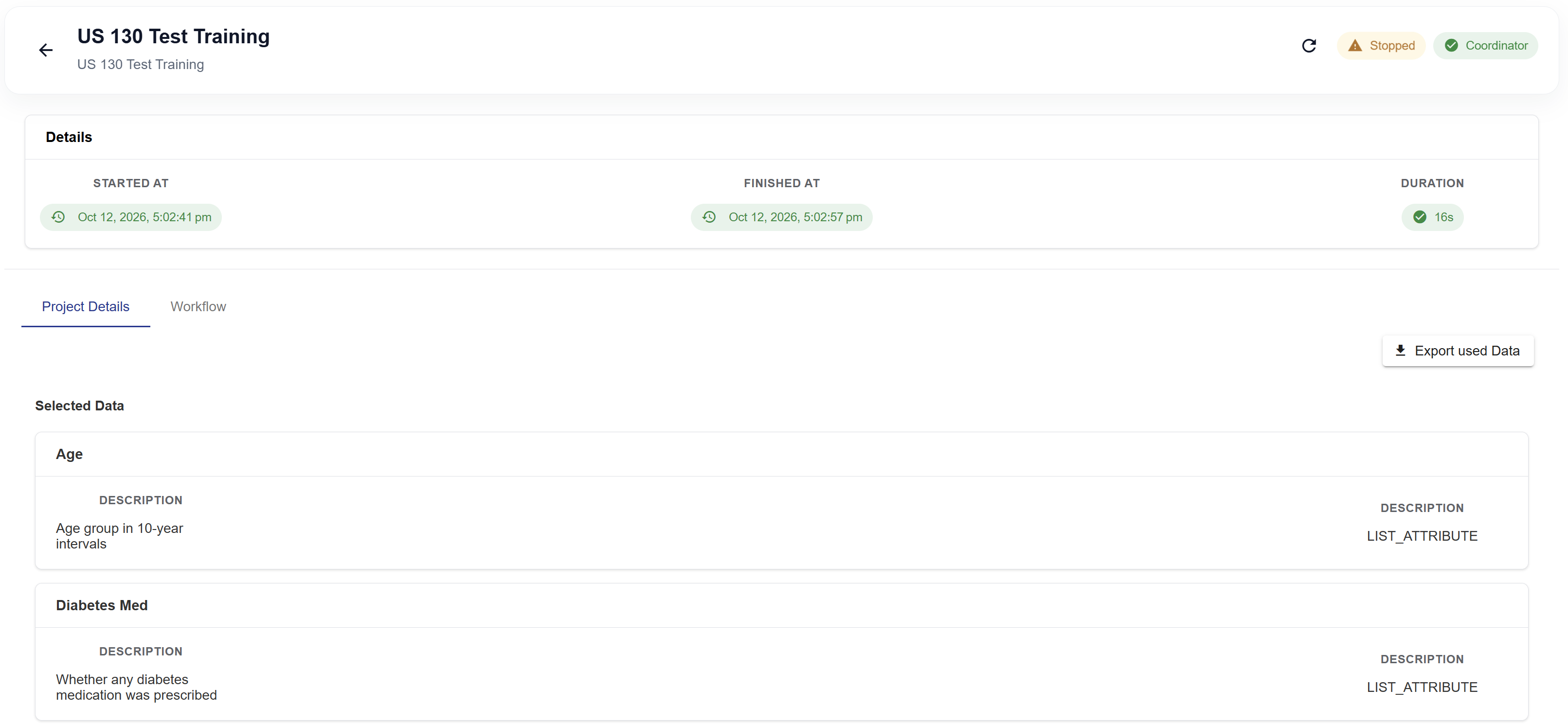
Project overview
Header
The header shows the name and description of the training, along with:
| Element | Description |
|---|---|
| Refresh | Reloads the training to show its latest state. |
| Status | The current state of the training, for example Stopped. |
| Role | The role of your Client in the training. Each training has exactly one Coordinator client; all other clients are Participant. |
Details
| Field | Description |
|---|---|
| Started At | The date and time the training started. |
| Finished At | The date and time the training finished. |
| Duration | The total run time of the training. |
Project Details tab
The Project Details tab lists the Selected Data: the variables used by the training, each with its description and data type.
Select Export used Data to download the local data used by the training. Use this export for auditing or to reproduce exactly which records and variables your Client contributed.
Workflow tab
The Workflow tab shows the workflow executed by the training, including the tools it uses. It corresponds to the Workflow tab of the training request.