Statistics requests
A statistics request asks your Client to calculate aggregated statistics on its local data, for example how the values of a variable are distributed across patients. Only the aggregated results are returned to the requester, never individual patient records.
The patients included in the calculation are the ones matching a previously run discovery query.
The minimum record count defined in the cohort's access permissions is applied to the result automatically, whether the request is approved manually or automatically.
Review a statistics request
- Open Requests → Statistics Requests. The page lists all statistics requests received by your Client.
- Select the request you want to review.
- Review the request details as described below.
- Select Accept to approve the request, or Reject to decline it. Select Close to leave the request unchanged and decide later.
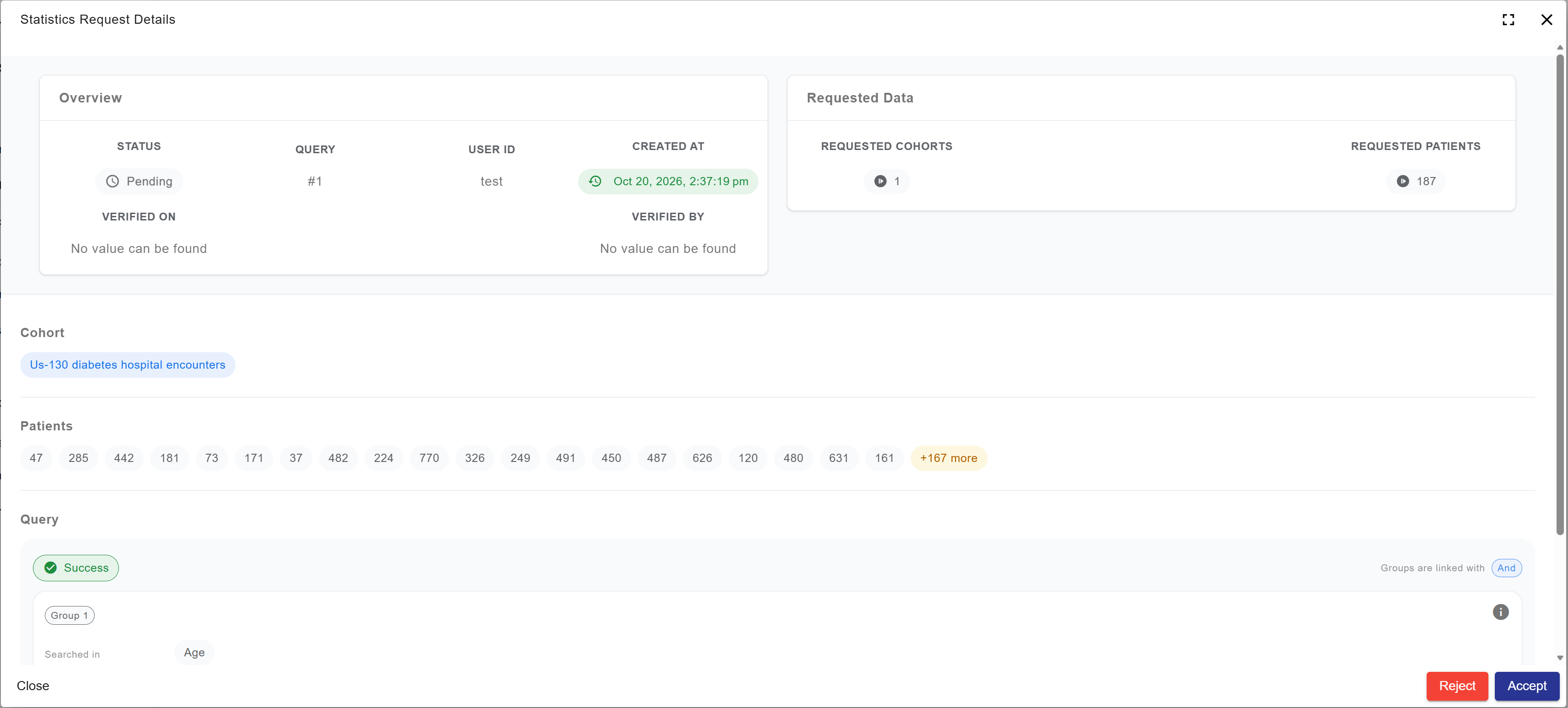
Request details
Overview
| Field | Description |
|---|---|
| Status | The current state of the request, for example Pending while it awaits a decision. |
| Query | The identifier of the federated query the request is based on. |
| User ID | The user who submitted the request. |
| Created At | The date and time the request was received. |
| Verified On | The date and time the request was accepted or rejected. Empty while the request is pending. |
| Verified By | The user who accepted or rejected the request. Empty while the request is pending. |
Requested Data
| Field | Description |
|---|---|
| Requested Cohorts | The number of local cohorts included in the request. |
| Requested Patients | The number of local patients included in the request. |
Cohort, Patients, and Query
- Cohort lists the local cohorts the statistics are requested for.
- Patients lists the identifiers of the included patients. When the list is long, only the first identifiers are displayed, followed by the number of additional patients.
- Query shows the definition of the federated query that selects the data. Review it to confirm that the requested variables and selection criteria are acceptable.
Before you accept
Consider the following before accepting a statistics request:
- Confirm that the requesting user and the purpose of the request are legitimate.
- Check that the number of requested patients is large enough for the cohort's disclosure controls to protect individual records.
- Check that the variables requested in the query are appropriate to release as aggregated statistics.
Automatic approval
Statistics requests can be approved automatically if a matching access permission sets Automatic statistics access for to All. See How permissions decide the outcome.